Define the states
First, the relevant workstation states are agreed for the process: work, waiting, preparation, stop, changeover or transfer.
Instant consultation, immediate impact. Why wait?
 Let's dive right into how Iwoscan can reshape your manufacturing pipeline
Our experts are here to guide you through the transformation
No strings attached
Welcome to the Iwoscan!
At Iwoscan, we are more than just a company; we are the pioneers of precision and efficiency, the architects of innovation, and the champions of progress.
Sign in and embark on the journey together!
If you still need to register, we encourage you to create an account and elevate your experience. You'll gain:
- Exclusive access to analytics
- The ability to personalize your experience
- Receive notifications and stay updated
Iwoscan helps show where shift capacity turns into waiting, small stops, unclear states or work that is recorded too late or too roughly.
Odoo ERP friendly Built-in task splitting and merging Raw data without distortion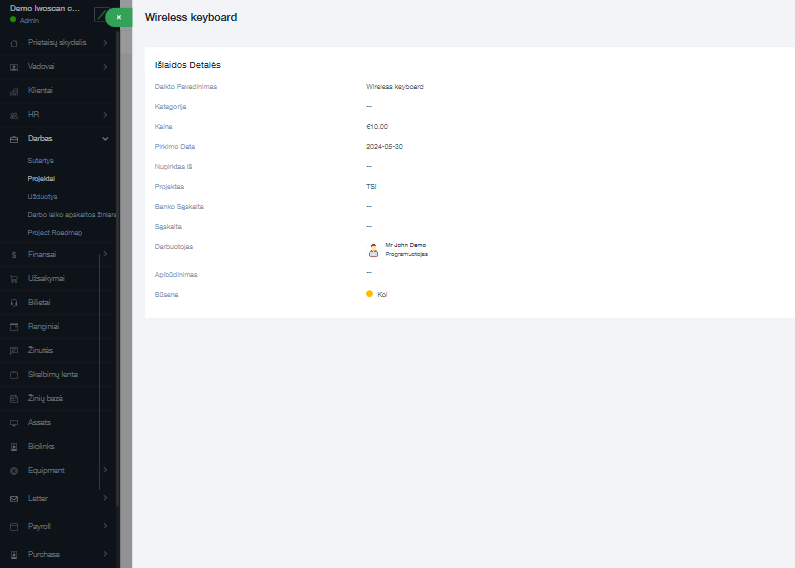
Manufacturing efficiency is not just about higher speed. It is often lost between task release, preparation, work start, stops, transfer to the next stage and final system update.
Here, efficiency is understood practically: how much planned working time becomes real, recorded work, and where that time is lost between process states.
First, the relevant workstation states are agreed for the process: work, waiting, preparation, stop, changeover or transfer.
The operator, machine, scanner or sensor records events when they happen, not at the end of the shift.
Event duration is assigned to a specific task, operation, work center or product.
The analysis shows how much time was active work and how much was waiting for material, a decision, transfer or another reason.
After changing the process, state durations, queues, task delays and real workstation utilization can be compared.
This solution complements planning with factual shop-floor data: states, events, durations, tasks and links to the production process.

Workstation events are classified into clear states: work, waiting, preparation, stop and completion.

Each event has a timestamp, so durations can be calculated instead of only total output.

Data is linked to the task, product, operation, operator or work center.

QR codes, barcodes or other signals can reduce manual entry errors.

When needed, machine counters or sensor signals can add another source of shop-floor fact.

Shifts can be compared not only by output, but by time structure.

States help show where tasks wait for transfer, material, approval or the next stage.

Reports are based on events, not assumptions recreated later.

Iwoscan can add execution facts from the shop floor to the planning system.

After a process change, it is possible to see whether waiting, stops or task queues decreased.
Briefly describe the process, equipment and data that is currently missing.
We will explain what can be recorded, which Iwoscan set is suitable and how the data can reach your systems.
This page is not about the takt formula or Lean methodology. It focuses on recording actual workstation states: where time disappears between plan and result.
Not necessarily. Some events can be recorded by the operator, some through QR or barcode reading, and some from machines or sensors.
The most useful data is the task, workstation, state, event time and reason when the process stops or waits.
No. ERP usually holds the plan and accounting objects, while Iwoscan adds execution facts from the workstation.
When the result is worse than the plan, but it is not clear whether the cause is waiting, task queues, preparation, stops or inaccurate registration.